
 CheffEye
Snap a photo.
Get the recipe.
CheffEye turns any dish into a step-by-step recipe in seconds. Cook from your pantry, import recipes from TikTok and Instagram, and follow hands-free Cooking Mode with voice and timers, now on your Apple Watch too.
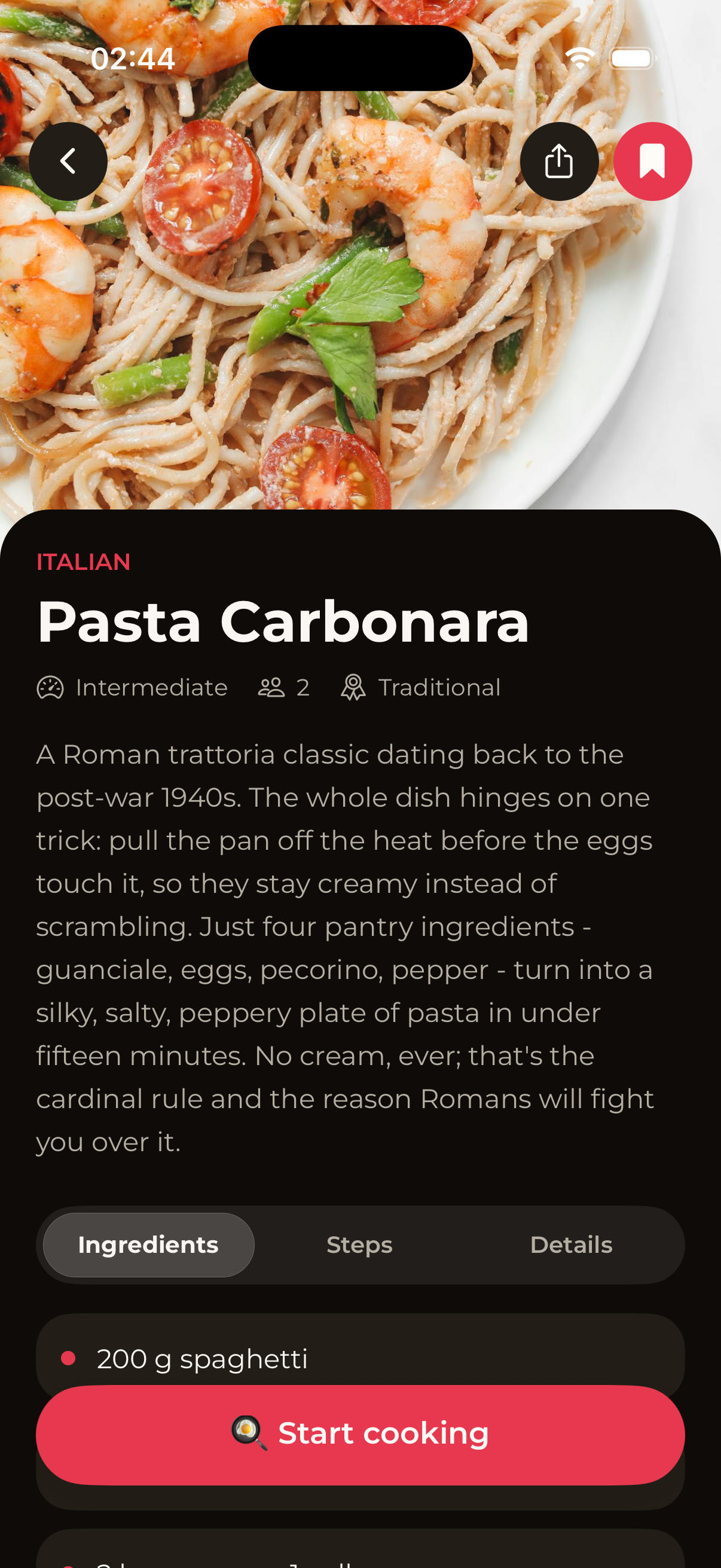
The smartest way to cook anything.
Five ways CheffEye replaces the old recipe blog with something that actually understands your kitchen.
See a dish, get the recipe.
Take a photo of any meal, at a restaurant, on social media, or your grandmother's table. CheffEye identifies it and writes the full recipe in seconds.
- Ingredients with exact amounts
- Step-by-step instructions
- Cook time, servings & nutrition
- Variations and chef tips
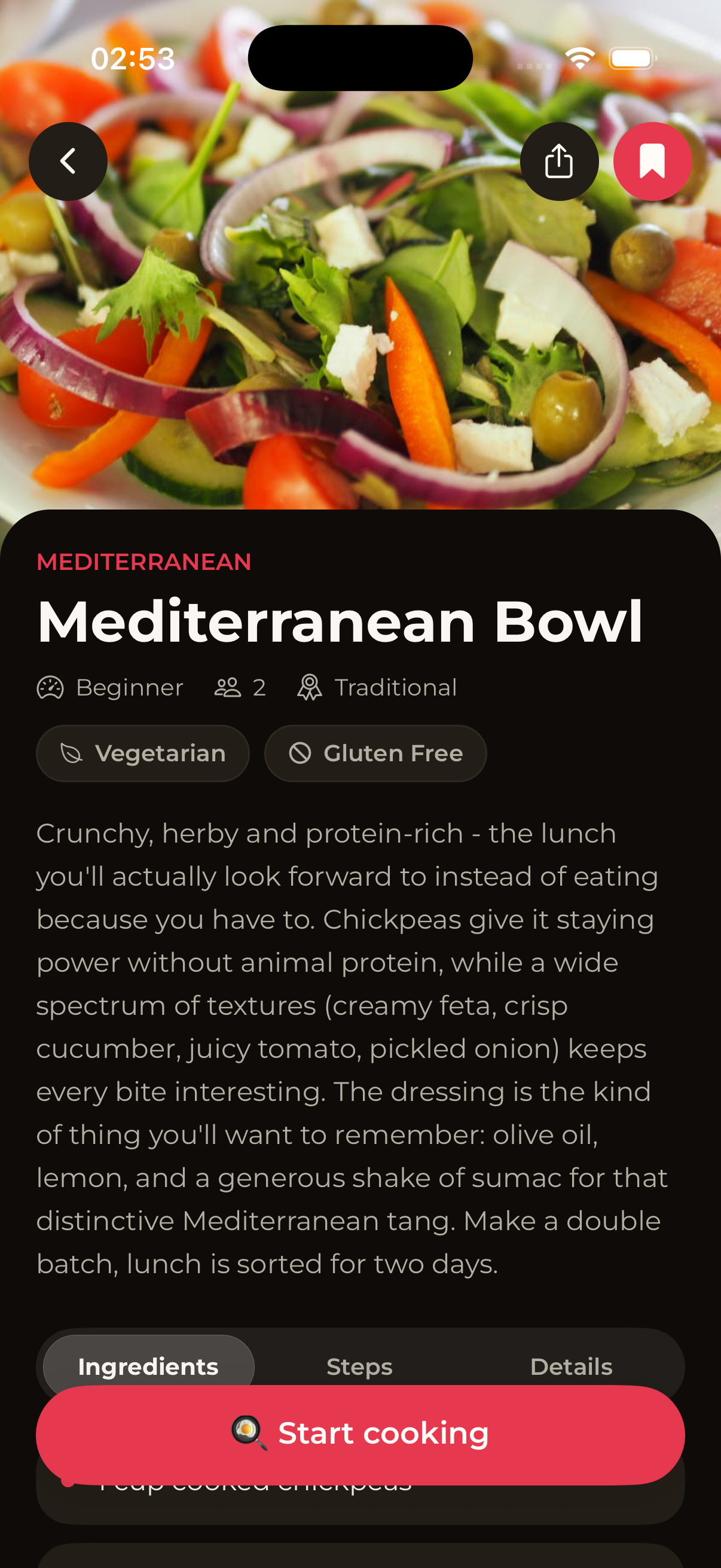
Cook from what's in your fridge.
Add a few ingredients you already have and CheffEye suggests recipes you can make right now. No extra shopping trip, no more "what should I cook tonight?"
- Add ingredients by photo or text
- Filter by diet, allergens or time
- Three smart recipe suggestions per scan
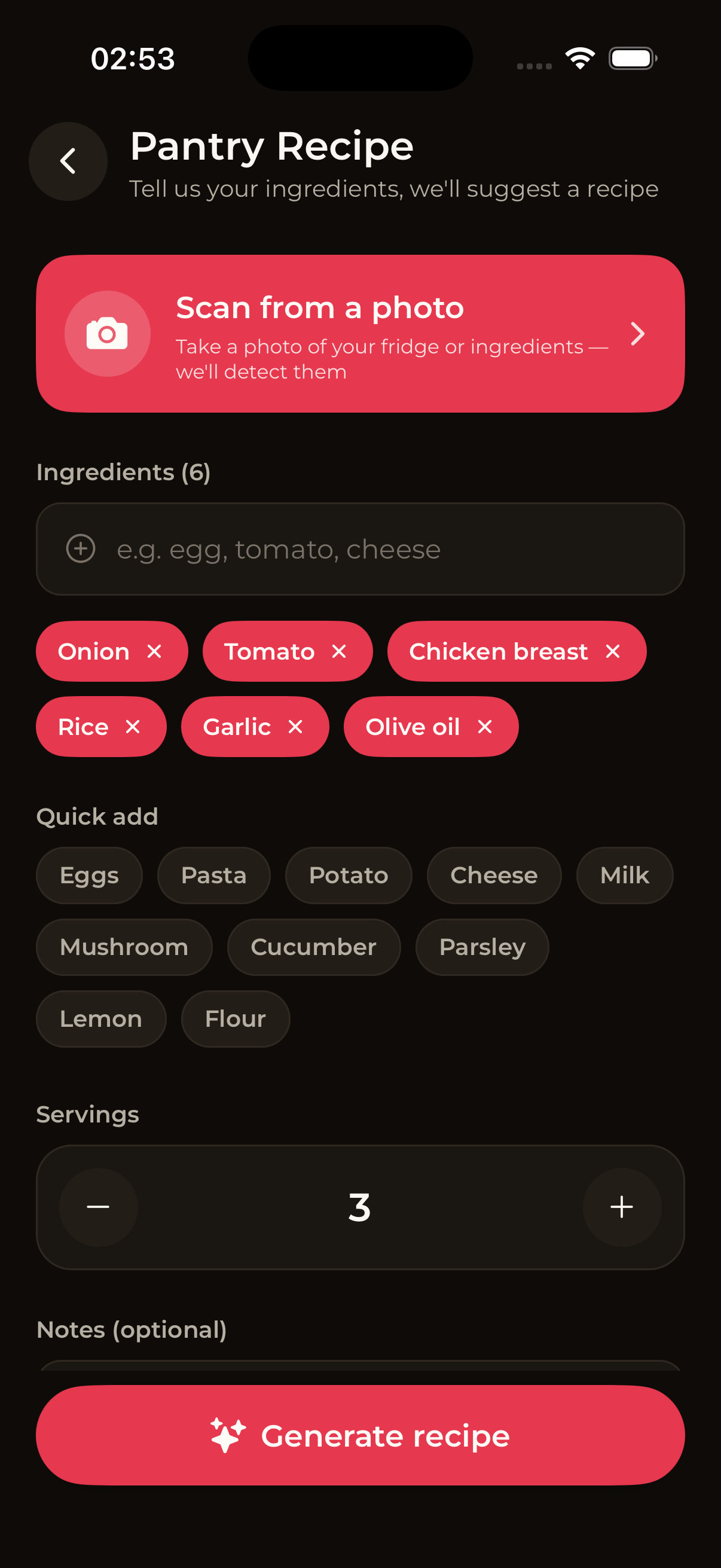
Import recipes from TikTok, Instagram & YouTube.
See a viral recipe online? Share the link to CheffEye and the AI extracts ingredients, steps and timings into a clean recipe you can actually cook from.
- One-tap "Share to CheffEye" from any app
- Works with Reels, Shorts and TikTok videos
- No more scrubbing through 60-second clips
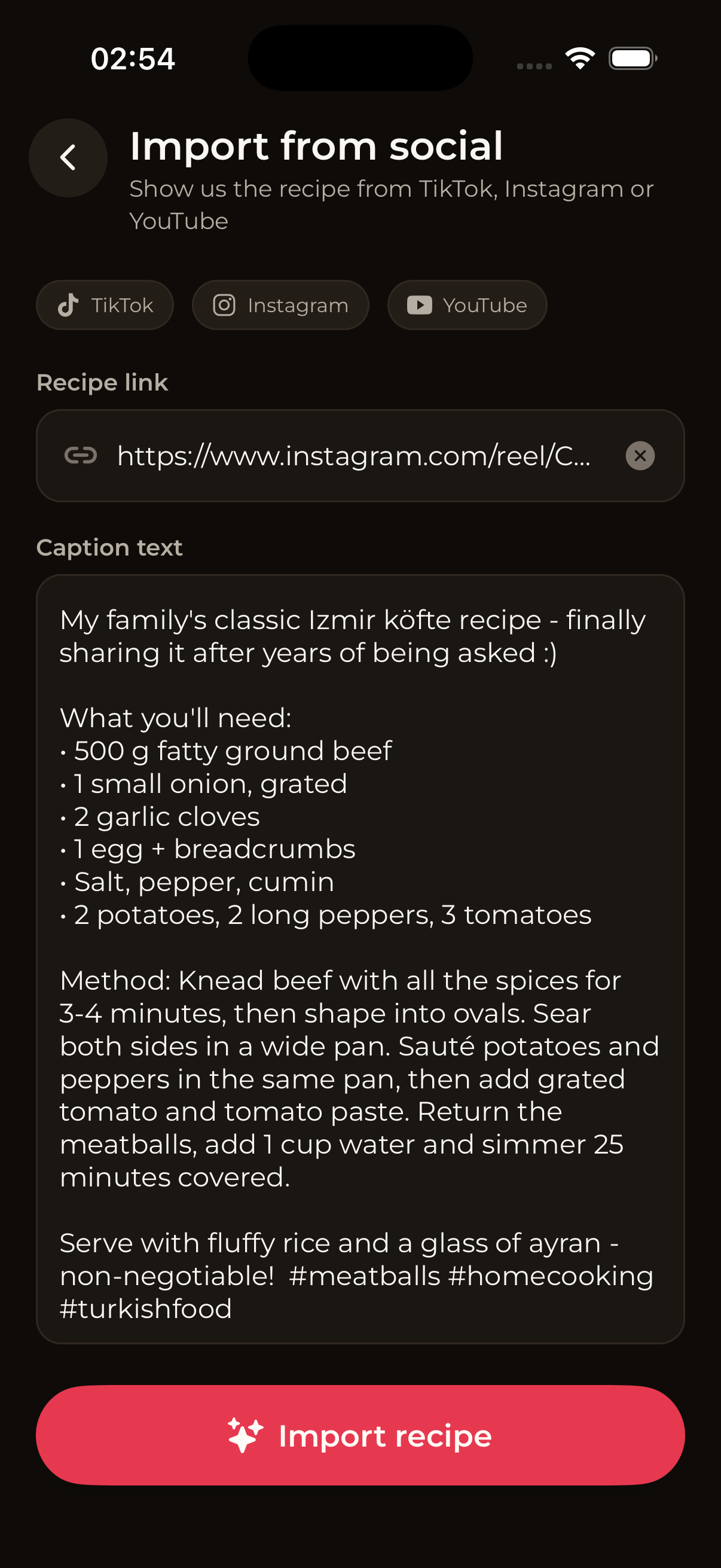
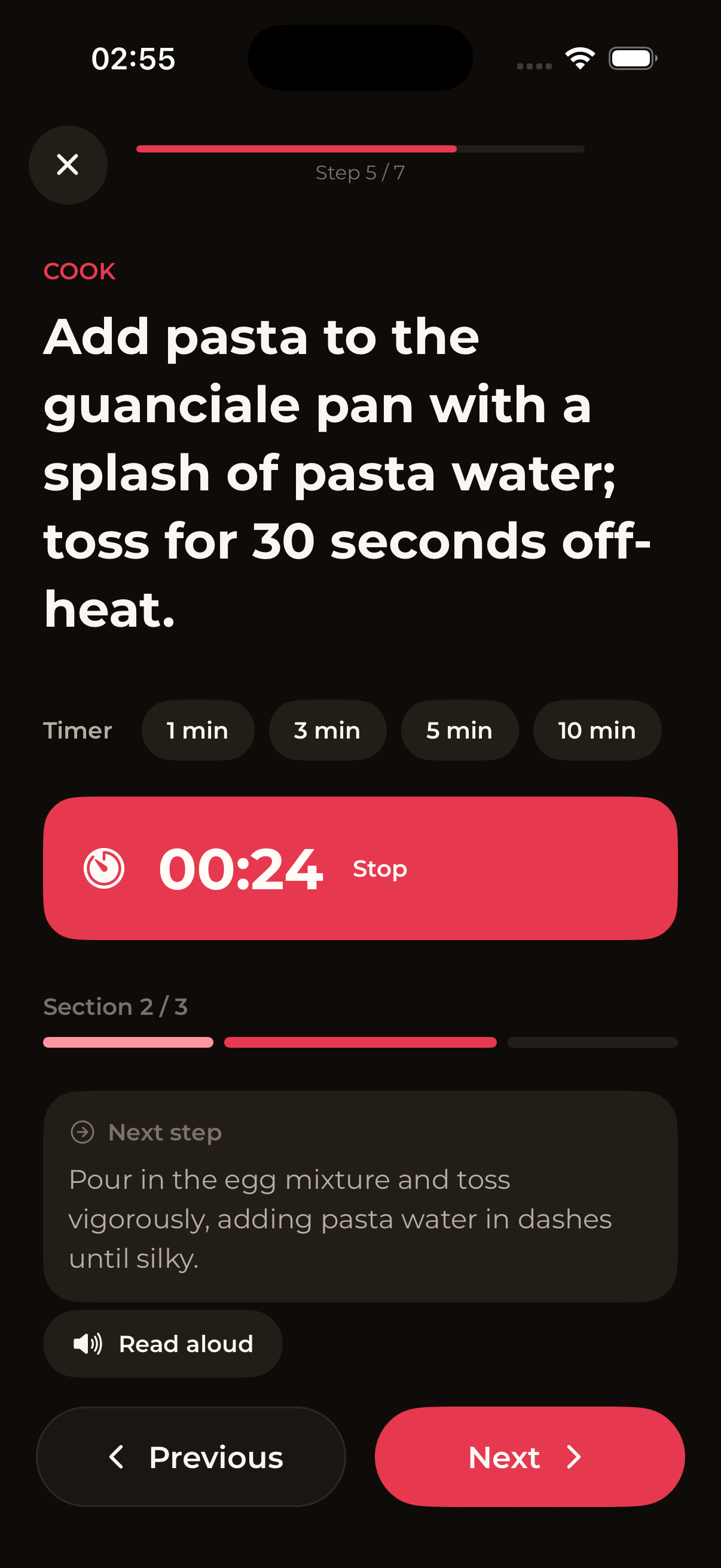
Hands-free, voice-guided cooking.
Big typography, voice-read steps and built-in timers. The screen stays on, so you can cook with messy hands, or follow every step right from your Apple Watch.
- Voice reads each step out loud
- Tap-once timers for every step
- Screen stays awake while you cook
- Swipe between steps without scrolling
- Follow and advance steps on Apple Watch
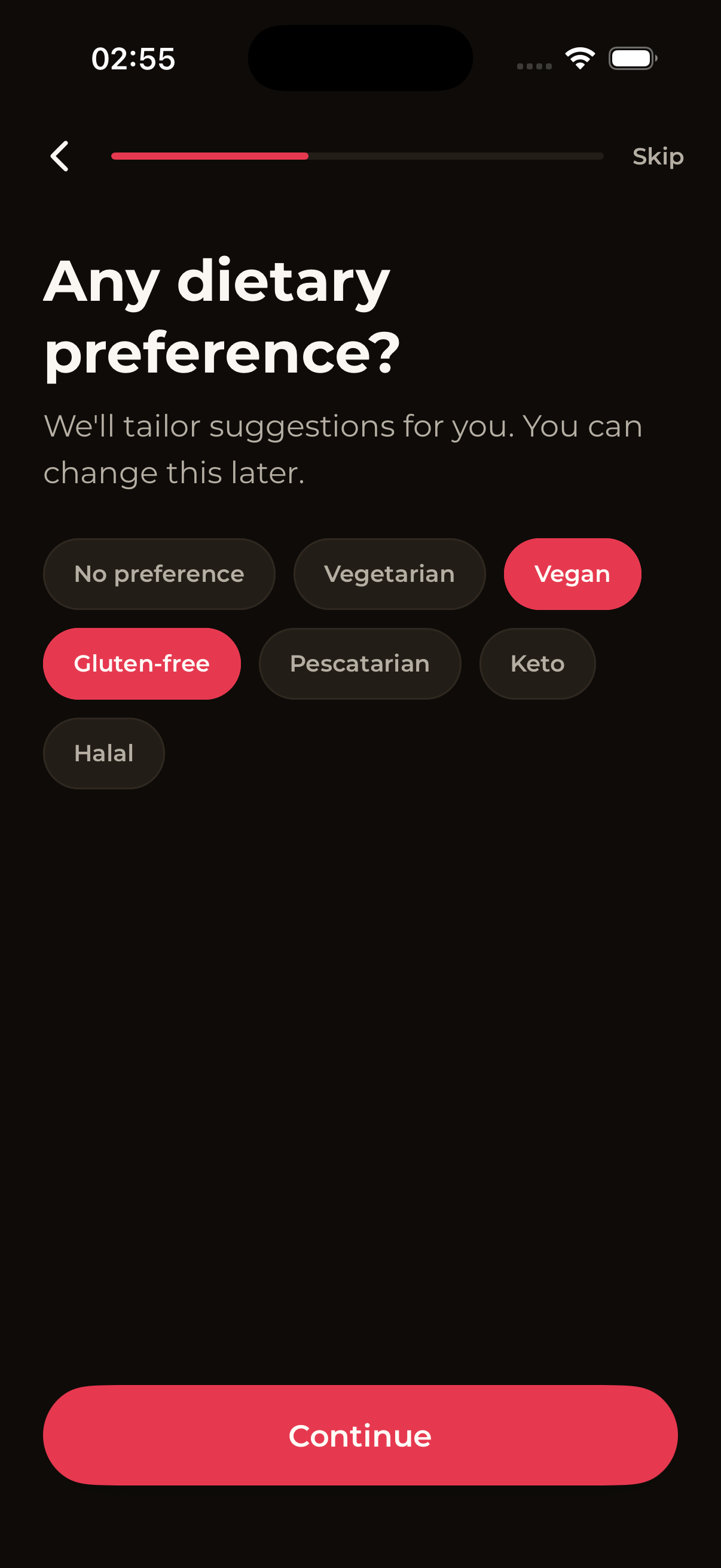
Tailored to your diet & skill.
Pick your diet, cuisine preferences and cooking level once. Every recipe is automatically adapted: no allergens, no impossible techniques, no missing notes.
- Vegan, vegetarian, halal, keto, gluten-free, pescatarian
- Beginner, intermediate or advanced steps
- Cuisine preferences you actually enjoy
Built for the way you actually cook.
Now on Apple Watch
Follow a recipe step by step, advance steps and check timers right from your wrist, no need to grab your phone.
Now on Android
CheffEye is live on Google Play. The same photo-to-recipe magic, pantry mode and social import on your Android phone.
Your personal cookbook
Save favorites, organize them into collections, and revisit any recipe, even offline.
Nutrition that you trust
Calories, macros, suitable diets and allergens calculated for every dish you generate.
Ask your AI chef
Tweak any recipe with a single message. "Make it spicier", "swap chicken for tofu", done.
Privacy first
Camera and photo access only when you need it. No tracking, no spam, no resold data.
From craving to plate in three steps.
Snap or share
Take a photo of the dish, scan your pantry, or share a TikTok/Instagram link to CheffEye.
AI does the work
In seconds you get a complete, structured recipe: ingredients, steps, nutrition and tips.
Cook hands-free
Open Cooking Mode and let CheffEye read each step out loud while timers run in the background.
Questions, answered.
Everything you need to know about CheffEye. Tap a question to expand.
How does CheffEye turn a photo into a recipe?
Can CheffEye suggest recipes from what I already have at home?
Can I import recipes from TikTok, Instagram or YouTube?
What is Cooking Mode?
Is CheffEye free?
Which dietary preferences does it support?
Is CheffEye available on Android?
Does CheffEye work on Apple Watch?
Does CheffEye work offline?
We'd love to hear from you.
Bug, feature idea, partnership? Drop us a message and we'll reply within one business day.